

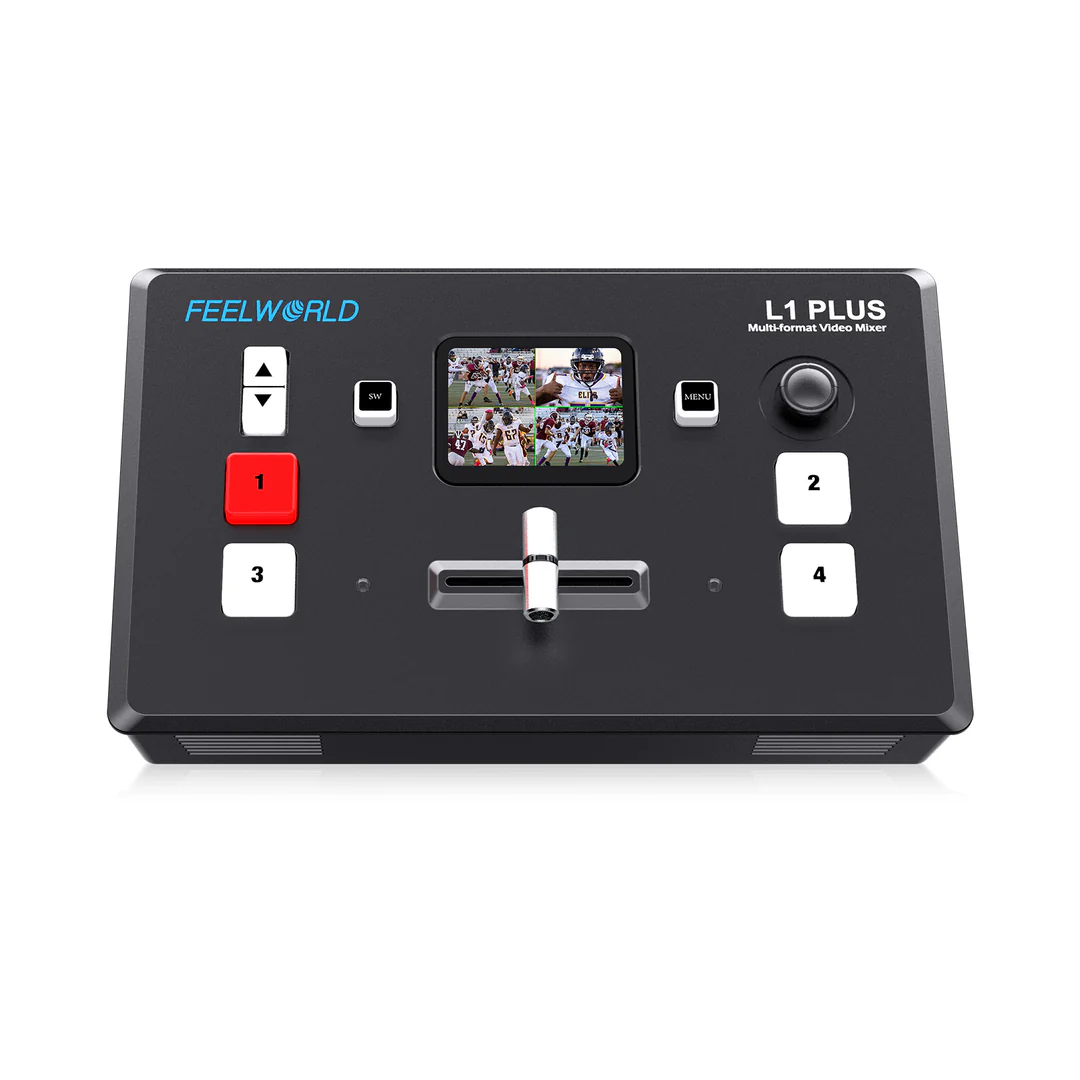
FEELWORLD L1 PLUS Multi-camera Video Mixer

Out Of Stock
Rs 89500
.00

Pay in 12 / 24 / 36 / 48 / 60 Months
Starting From Rs. 1,492.00
Pay in 3 / 6 / 12 / 24 Months
Starting From Rs. 3,729.00What's in The Box
- FEELWORLD L1 PLUS Multi-camera Video Mixer Switcher Touch Screen PTZ Control USB3.0 Fast Streaming
Key Features
- Multi-cam Live Production
- Plug and Play, Simplify Streaming Workflow
- Stream Live.Your Content.Your Way
- USB 3.0 Fast Live Streaming
Multi-cam Live Production
For large summit, culture show, Sports Event often need multi camera filming, L1 PLUS comes with 4 channels HDMI inputs and support up to 4K@60Hz. That means you can simultaneously connect 4 signal sources for different views, easy to handle various multi-cam live production.
More Info
Out Of Stock
Rs 89500
.00
Pay in 12 / 24 / 36 / 48 / 60 Months
Starting From Rs. 1,492.00
Pay in 3 / 6 / 12 / 24 Months
Starting From Rs. 3,729.00What's in The Box
- FEELWORLD L1 PLUS Multi-camera Video Mixer Switcher Touch Screen PTZ Control USB3.0 Fast Streaming

Get Expert Opinion
Overview
Multi-cam Live Production
For large summit, culture show, Sports Event often need multi camera filming, L1 PLUS comes with 4 channels HDMI inputs and support up to 4K@60Hz. That means you can simultaneously connect 4 signal sources for different views, easy to handle various multi-cam live production.
Plug and Play, Simplify Streaming Workflow
L1 PLUS is for video creators or anyone who wants to make broadcast quality multi-camera programs simply and quickly from anywhere. You can live streaming to YouTube/Facebook/Instagram or using Skype or ZOOM for innovative business presentations, easily control every screen by PTZ camera, and save up to 8 scenes for quick switching. Best of all, L1 PLUS is plug and play, you don’t need to be a video professional to achieve great looking results.
Stream Live.Your Content.Your Way
FEELWORLD L1 PLUS is fit for wedding, church activity, sports events, kitchen and live concerts,etc.With its user-friendly interface and comfortable keys, you can easily master its functions in no time.
Medium to Large Live Streaming Solutions
1. Multi-cam connecting: L1 PLUS with 4 HDMI,ideal for medium or large multi-cam live streaming.For medium live streaming, you can use 2 or 3 cameras,capture a close-up or panorama of different view, you can also connect PC to play PPT; for large live streaming, you can use 3 or 4 cameras,can also connect PC to play PPT or connect PTZ controller.All of pictures can be quickly switching via T-bar and buttons.
2. PTZ control: L1 PLUS supports PTZ control. In the same LAN, you can easily control PTZ camera's rotation through the joystick on L1 PLUS panel.
3. Multi-view: L1 PLUS comes with 2-inch touchscreen, you can preview input pictures, you can also connect to external bigger display via HDMI out to get bigger preview pictures and the audio status.
4. Connecting to a computer through the USB 3.0 streaming interface allows for live streaming on your favorite platforms.
Flexible Control Panel
Easy to use and fast to learn
There is never been a switcher that's easier to use,simply control combine with 2-inch touchscreen and buttons.
USB 3.0 Fast Live Streaming
The L1 PLUS features a USB 3.0 connection that operates as a simple webcam source. It can connect to any computer, so all streaming software for social media platforms work! Such as OBS software for live streaming, or conference software (Skype, ZOOM, Tencent conference and Yealink ) for business presentations. All switching is in real time so you can live stream to any social media platform such as Youtube, Facebook, Tik Tok, Douyu TV and many more!
PTZ Camera Control
Up to control 8 PTZ
L1 PLUS can control cameras which supports VISCA protocol. Once your camera is connected to your LAN (Local Area Network),You can control camera to move, zoom and focus. Meanwhile, it also saves the memory of camera position and zoom information for quick retrieval the next time you use it. You also can control up to 8 PTZ camera on APP (Feelworld Live)via PoE Switch, it is ideal for audiovisual and IT professionals who need to remotely manage multiple PTZ cameras on their network.
You also can control up to 8 PTZ camera on APP (Feelworld Live)via PoE Switch, it is ideal for audiovisual and IT professionals who need to remotely manage multiple PTZ cameras on their network.
Note: When operating the camera, L1 PLUS needs to remain in the Control interface, otherwise the PTZ camera cannot be controlled.
Joystick Easily Control
The 5-direction joystick on L1 PLUS’S panel can easily control PTZ, PIP,logo overlay function.
1.Control left right up and down movement when PTZ control is enabled;
2.When use PIP, left-right-up- down 4 directions to move the picture position when it is under position adjustment. Press middle to switch A/B layer;
3.Adjust the logo size when LOGO overlay is enabled (left and right adjust X value, up and down adjust Y value)
Chroma Key + Logo Overlay
Boost your brand,your video and your reach
For news or on-set presentation work,L1 PLUS is perfect as it features the powerful Chroma Key for green screen or blue screen keying effects. You get precise controls for edge and flare.You can even use the LOGO overlay function to create a title overlay effect.This isn’t just an effective way to make your video more recognizable and personable, as well as protect your video’s copyright; it’s a fantastic way to promote your brand while helping you achieve your business goals.
Picture in Picture
One of the benefits of using L1 PLUS with a multi-camera setup is that you can use the Picture-in- Picture function to display two inputs at the same time. Any of the four HDMI inputs can be used for a Picture-in-Picture effect over the program output, with selecting your favourite mode (8 modes for optional) with controls for size and location of the overlayed image.
Audio Input and Output
Supports multi-channel mixing
Through the standard accessory audio cable the 3.5mm headphone interface of L1 PLUS support one passive MIC(microphone) input and one audio output (connect earphone to monitor); Through LINE IN port , you can use wireless Lavalier microphone, or LINE output from the external audio console to do audio mixing of multiple external audio inputs. Supports mixed output of multiple channels, and also supports audio delay.
Views Saving + Fast Call, Level Up Efficiency
L1 PLUS supports save preset to View in real time, you can save all the currently set parameters including PIP layout, Chroma Key setting, PTZ presets as view (max save 8 views), when you need to load any preset, you can press shortcut button SW and push corresponding View key in Shortcut interface. In addition, you can also set manual/ auto switching, and the switching time
14 Professional Broadcast Transition Effects
L1 PLUS includes a range of broadcast quality transitions effects, you can set set to switch transition effects from 0 seconds to 10 seconds, you can also use T-Bar to switch the special effects you want.
HDMI OUT
You can use a HDMI cable to connect the HDMI output of L1 PLUS to a monitor with an HDMI input interface, so that you can see all cameras, audio meters, preview and final program output on the same display , all switching is in real time. HDMI output supports resolution setting, and supports up to 1080p@60.
Computer/ Phone APP Controlling
After connecting the LAN port to the computer, you can control L1 PLUS via APP (Feelworld Live). Feelworld Live simulates the L1 PLUS's real world appearance and the operations very similar with L1 PLUS's hardware, even the functions that are not possible with the L1 PLUS hardware. The smartphone also can remote controlling, just download the APP (Feelworld Live) and connect the WIFI.
Windows, MAC, Android system download the APP from details page of "Download" section
iOS user search "FeelworldLive" in APP Store to install


